Description: #
The Segments section allows you to define dynamic groups of subscribers based on a set of rules and subrules. Segments help you target specific portions of your subscriber population for marketing campaigns or analysis. By combining different rules with logical conditions like AND and OR, you can create highly specific or broad segments. These rules can be based on subscriber attributes (e.g., age, gender) or behavior (e.g., engagement, purchases).
Actions: #
1. Creating a Segment: #
Access the Segments Section:
- Navigate to the Segments section from the main menu.
Add a New Segment:
- Click Create Segment and provide a name for your segment (e.g., High-Value Customers, Inactive Subscribers).
Define Rules:
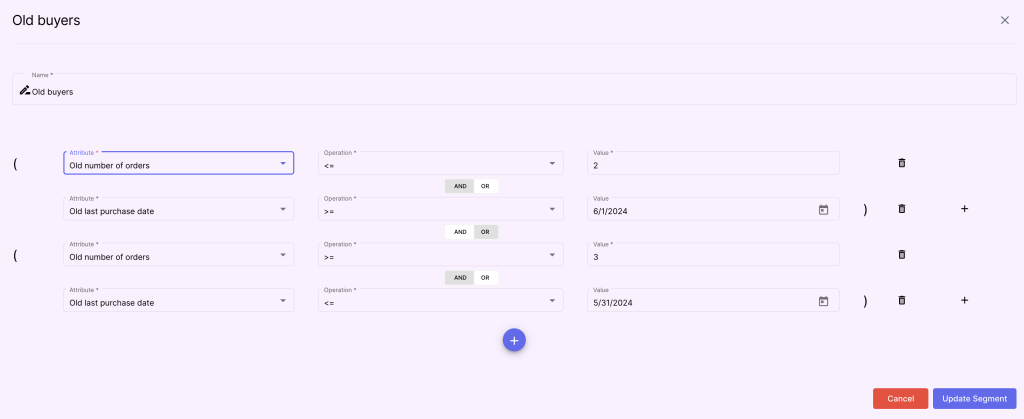
- You can add one or more rules to filter the subscriber population based on their attributes or behavior. Each rule defines a specific criterion that subscribers must meet to be included in the segment.
2. Types of Rules: #
a. Subscriber Attributes: #
- These rules focus on demographic or static subscriber data, such as:
- Age: Filter subscribers by age ranges (e.g., 18-25, 26-40).
- Location: Segment subscribers by geographic location (e.g., country, city).
- Gender: Filter based on gender data.
- Affiliate: Filter based on the affiliate to which the subscriber belongs.
- Custom Fields: Use any custom contact fields you have defined for more specific criteria.
b. Subscriber Behavior: #
- These rules are based on subscriber interactions and activity within the application:
- Campaign Engagement: Target subscribers who have opened or clicked on specific campaign emails.
- Purchase History: Filter by subscribers who have made a purchase or haven’t placed an order in a certain period.
3. Combining Rules with AND/OR: #
- Rules and subrules can be combined to create more complex segments. You can group rules together using logical operators:
- AND: All rules must be met for a subscriber to be included in the segment.
- OR: Any of the rules can be met for a subscriber to be included in the segment.
- Subrules are nested rules within the main rules. They allow even more detailed segmentation.
- For example, within a rule for subscribers who have made a purchase, you can add subrules for those who have bought specific product categories or spent over a certain amount.
4. Saving and Managing Segments: #
Save the Segment:
- Once all rules and subrules are defined, click Save to create the segment.
- The segment can be evaluated to give the number of subscribers filtered by it.
Managing Segments:
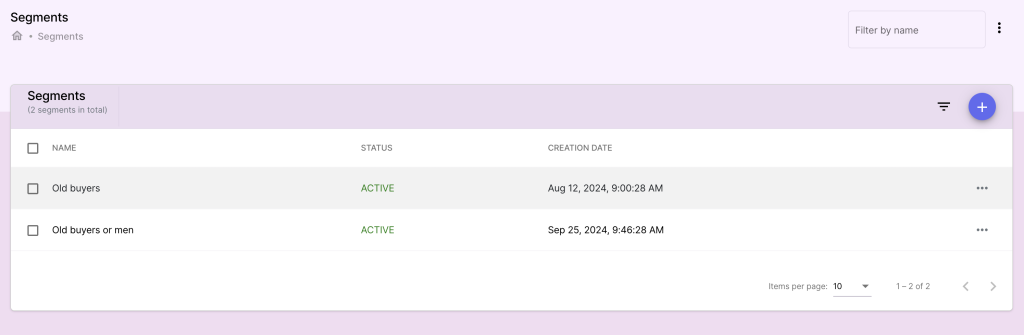
- You can view, edit, or delete existing segments at any time.
- Segments can also be reused across different campaigns for consistent targeting.
Benefits: #
- Precision Targeting: Use segmentation to target highly specific groups of subscribers, improving the relevance and success of your campaigns.
- Dynamic Updates: Segments update in real time as subscriber data changes, ensuring that you always reach the right audience.
- Complex Criteria: Combining rules with AND/OR logic and subrules allows for powerful and flexible segmentation strategies.