Description: #
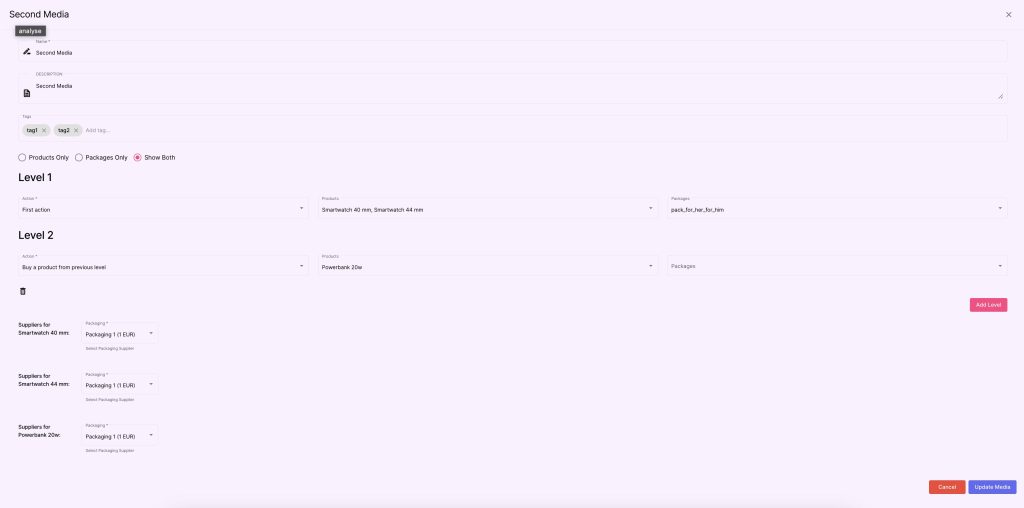
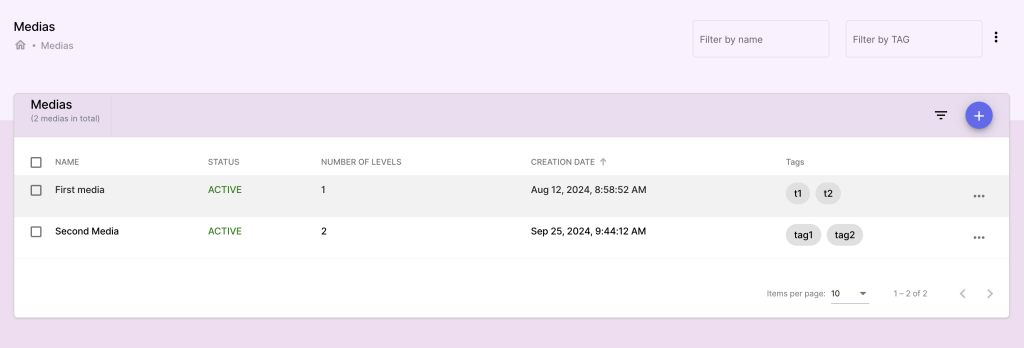
In this section you can create media collections that group products and packages into catalogs for campaigns. Media collections are used to showcase specific products and packages within a campaign.
Actions: #
Creating a Media:
- Go to the Media section and click Create Media.
- Enter media details:
- Media Name: The name of the media collection (e.g., Winter Sale Catalog).
- Media Description: A brief overview of what is included in the media.
- Click Add Products/Packages to include them in the media.
Using Media in Campaigns:
- Media collections can be linked to campaigns to define the product catalog available during the campaign period.
- Navigate to the Campaigns section, select a campaign, and choose the media to associate.
Editing and Managing Media:
- Select the media to edit, update contents, and save changes.
Deleting a Media:
- Select the media to delete.
- Confirm the action to remove the media.